Final team confirmation is closedCapacity has been reached. Previously submitted responses are retained; no new team or solo registrations are accepted.View form status ↓
01 / PARTICIPANT GUIDE
Your event-day quick start
Five steps from check-in to submission, online or in a space.
Check in where you are confirmed. Onsite: show your confirmation at the entrance. Online: use your confirmation email and check in with the online team. Check your attendance guidance ↓
Check your final roster. Verify attendance during 09:45–10:00 Tunis. Report corrections to your manager or online team; do not submit another registration.
Choose tools you can access. Brev is optional. If approval is pending, start with a fallback. Choose your tools ↓
Build and show your progress. Focus on one useful working feature, save your work and record a backup demo. Ask for help early ↓
Submit by 17:30 Tunis. Use the same final team name and lead email. Prepare your code, presentation and 90-second video links. Open the submission checklist ↓
Registration and Round 1 participation confirmations remain closed. Final Team Confirmation is also closed. Existing submissions do not grant a new onsite place or replace entrance checks. The optional Brev request is not a participation-confirmation form. Please follow our code of conduct.
02 / PARTICIPANT GUIDE
Your event access
Follow the joining instructions shared directly by your organizing team.
Use your confirmation email for event access. Search your inbox and spam folder for “Come Build with AI”. If joining instructions are missing, reply to that email; onsite participants can also ask the check-in desk. Online participants should ask for Khadija’s online team. Do not share private joining links publicly.
Opening: 09:00 Tunis time (UTC+1). Be ready ahead of the opening. Your attendance mode remains the one confirmed by the organizers; access to a session does not reserve an onsite place.
03 / PARTICIPANT GUIDE
Forms & deadlines
One place for the official participant forms. Do not send duplicate entries to fix an existing registration.
CLOSED · CAPACITY REACHED
Final Team Confirmation
Submissions are closed. We have reached capacity and are no longer accepting new final team or solo registrations. Previously submitted responses for teams and solo entries (1–5 people) have been retained.
Already submitted? Use the same final team name and lead email for project submission. For a correction to an existing roster, contact your local organizing team or Khadija’s online team. Do not submit duplicates.
On 27 September, verify attendance with your manager during 09:45–10:00 Tunis. Your attendance mode remains the one confirmed by the organizers; this form does not reserve a Brev voucher or a new onsite seat.
The earlier form recorded participation and provisional teams. Its responses remain unchanged. Final Team Confirmation is now also closed. If you need help with an existing registration, contact the organizing team.
The request deadline was 25 September 2026. An open form is not an extension or an approval. If you missed the deadline, contact the organizing team before making a new request. Do not wait for credits to start building.
Requests are restricted to leads of teams of 2–5 with an existing Final Team Confirmation, a concrete project and a justified strong-compute need. Solo participants cannot request Brev credits. Maximum 125 teams globally, subject to technical review, approval and availability; no guaranteed allocation.
Already requested? Use your existing response and the same final team name and lead email; do not send duplicates. If not requesting Brev, skip this assessment and use the alternative tools below.
Separate from final team confirmation and compute requests. Submit once per team or solo project using the same final team name and lead email. Complete required fields, select prizes, include accessible links and save the confirmation. Submit through this Google Form, not by uploading to GitHub or Docker alone.
One shared program. All times below are Tunis time (UTC+1), on Sunday 27 September.
Key times in your country · 27 September 2026
Country
Check-in
Opening
Submit by
Close
Tunisia
08:30
09:00
17:30
20:00
Algeria
08:30
09:00
17:30
20:00
Morocco
08:30
09:00
17:30
20:00
Senegal
07:30
08:00
16:30
19:00
Côte d’Ivoire
07:30
08:00
16:30
19:00
Nigeria
08:30
09:00
17:30
20:00
Kenya
10:30
11:00
19:30
22:00
Saudi Arabia
10:30
11:00
19:30
22:00
Arrival + check-in
Check in and join the official event channels shared by your local or online team.
Opening + hackathon briefing
Discover the hackathon format, submission requirements, judging criteria and prizes.
History of hackathon
A 30-minute session with Yahya Bouhlel.
Attendance + final-team roster check
Final Team Confirmation is closed. Previously submitted responses are retained. Verify attendance with your manager and report roster corrections to the organizing team by 10:00 Tunis. Do not submit duplicates. This check is for existing solo entrants and teams of up to five, not new registrations. Use the same final team name and lead email for project submission.
Brev is optional. Requests were due 25 September, after Final Team Confirmation, for teams of 2–5 only. Solo participants cannot request credits. A concrete project and justified strong-compute needs must pass technical review. Maximum 125 teams globally, subject to approval and availability; no guarantee. Technical Support verifies approved requests against actual attendance.
NVIDIA models, LLM frameworks + Brev/Launchable
At 10:15 Tunis, Wei Xiao introduces NVIDIA open-source models and LLM frameworks for about 20 minutes. Ghassen Elabed then covers Brev and Launchable within the existing 10:15–11:15 workshop block. Brev is optional. Activate a voucher with Technical Support only if allocated.
Build sprint 1
Start building your team’s prototype.
Mentor checkpoint
Review your idea, progress and blockers with a mentor.
Build sprint 2
Continue your prototype with mentor and technical support.
Lunch + community check-in
Take a break and meet other builders.
Project submission briefing
Review the prototype, source code, presentation, 90-second video, project card details and AI/tool disclosure required by the submission form. Explain Brev only if used.
Build sprint 3
Build, test and improve your prototype.
Technical + submission checkpoint
Check that your project works and every submission link opens.
Final build sprint
Finish your prototype, test it and complete your submission materials.
Submission workshop + final checks
Submit the complete project package by 17:30 Tunis time.
The jury selects the three winning teams in each country from the submitted materials.
Live demos — country winners
Only the three winning teams from each country give a live demo; all other participants watch.
Awards + next steps
Celebrate the winners and learn the next steps for certificates and prize fulfillment.
Close
End of the event.
Only the three winning teams in each country give a live demo from 19:15–19:45 Tunis time. All other participants can watch. Follow organizer announcements if timings change.
05 / PARTICIPANT GUIDE
Build with Any AI
A full participation route. Choose the tools that fit your project, with or without NVIDIA Brev.
NVIDIA Brev & Build stack
Explore the NVIDIA workshop stack first: Brev for approved GPU-compute projects, and NVIDIA Build for models and APIs. Brev is optional; every team can choose another stack that fits its project.
Only specific, justified strong-compute needs qualify for review. Explain the task, model/data, why local/API alternatives are insufficient, resources, technical owner and fallback. Technical approval and availability are required; no guaranteed voucher or fixed value per team. The 10:15 event-day milestone is for reviewed allocation, not the request deadline.
Brev is not mandatory. Judging is tool-neutral, including the NVIDIA Brev Breakthrough Award: no penalty for not using Brev or bonus for credit spending. Country-podium prize credits are separate from this build-day pool.
Store keys securely. Do not put them in public code, videos, forms or chat messages.
Use the starter project shared by the facilitators for the guided exercise.
NVIDIA workshop slides and its tested environment are still to be shared. Check organizer announcements and the resources below. The compute-request deadline has passed; ask Technical Support about an existing review or activation. NVIDIA account requirements and usage terms apply.
Not requesting Brev? Skip the compute assessment. Choose alternatives that fit your project and describe your stack, access constraints, AI contribution and fallback in the later project submission. Gemini, Groq, Ollama/LM Studio, Kaggle and Hugging Face options are listed below with access links and limits. No external capacity is guaranteed.
Choose a stack you can access
Teams may use free-tier APIs, local/open models, notebooks, public demo hosting or conventional software. Judging considers the quality and relevance of the AI contribution, regardless of provider or voucher access. If you use no AI, say so honestly; the AI-use criterion still assesses the contribution actually demonstrated.
These are official access links, not organizer-provided accounts or guarantees of free capacity. Use your own authorized account and review the current terms.
Get started: Sign in with your own Google account, choose an available model and test one small request. Keep your API key on your server, not in browser code.
If unavailable: If your account, region or quota blocks access, use Groq where eligible or a downloaded local model. Free-tier availability varies by model.
Get started: Sign in, check model access and create your own API key where your account role permits. Test a small request and handle rate-limit errors.
If unavailable: If limits are reached, reduce request volume or switch to Gemini where eligible or a local model. Do not assume unlimited free requests.
Get started: Install the version for your operating system and download a small, compatible local model before the event. Test it on the laptop you will bring.
If unavailable: If the model is too large or slow, choose a smaller model or an available hosted API. Local hardware and model licences apply; cloud features have separate terms.
Get started: Check device compatibility, install the app and download a model that fits your memory. Test local chat or the local server before build day.
If unavailable: If your device is unsupported or underpowered, try Ollama with a compatible smaller model or a hosted API. Download models in advance and respect their licences.
Get started: Sign in, open a notebook and check the accelerators and quota available to your account. Upload the Kaggle starter from the template ZIP and start with a small experiment.
If unavailable: If no GPU is available, run on CPU, reduce the dataset/model or use an inference API instead of training. Save outputs and prepare a recorded demo; GPU capacity is not reserved.
Get started: Sign in and choose a Space type and hardware plan that fit your demo. Check visibility, terms and charges before publishing. Keep secrets out of public files.
If unavailable: A free static demo does not provide free backend or GPU compute. If runtime access is unavailable, use a static demo or local app plus a clearly labelled recording. ZeroGPU eligibility and quotas vary.
No external capacity is promised. All external offers depend on account, model, region, quota and rate limits. Review current terms and charges. Do not enable paid upgrades without your own authorization. These tools are options, not additional event sponsors.
Before you start building
Test your chosen tool on your own account or laptop before depending on it.
Keep API keys, voucher codes and private data out of browser code, public repositories, shared forms and demos. Local models still need licence checks.
If access fails, use the fallback above and ask Technical Support early. Record which parts are live AI and which are mock or prerecorded.
In your submission, explain your tools/models, access constraints, actual AI contribution and fallback. There is no provider preference or bonus for spending credits.
Four starter templates
Download web/API, RAG, local-model and Kaggle-notebook starters ↗ (opens in a new tab). The README explains setup and limitations. API examples default to a clearly labelled offline mock; connect your own authorized provider to demonstrate real AI. The notebook uses a small synthetic dataset and can fall back to CPU. No accounts, credits or hosted compute are included.
Alternative Stack Clinic · 45 minutes
One clinic is planned: 5 minutes to choose a stack, 10 for web/API, 10 for RAG, 10 for local models, 7 for a Kaggle notebook and 3 for questions. Time, facilitator and joining link are to be confirmed by the organizers. This does not replace or change the published NVIDIA workshop time.
Optional partner challenges
Find the Hidden Failures
OPTIONAL PARTNER CHALLENGE · SUPPLYZPRO
AI agents can finish a run without a technical error and still fail the user. Build a tool that analyzes agent conversations and tool calls, discovers recurring problems, groups related cases and shows developers what to investigate first, with evidence.
Look for: unsupported success claims, repeated questions, searches that make no progress, wrong customer records or incomplete requests presented as finished.
Build and demonstrate: a focused prototype using a small public or synthetic dataset. Include successful runs, recoveries and ambiguous cases to distinguish real failures from legitimate retries. Show a ranked issue list, grouped sessions and the messages or tool results supporting each finding. Explain uncertainty, limitations, runtime and processing cost.
Your approach is open: combine LLMs, deterministic checks, embeddings, clustering or other methods. No specific model, interface or Brev access is required. Live ingestion and automatic fixes are optional.
SupplyzPro Smart Operations Award · TND 1,000: this award is specifically for the best solution to this challenge. Taking on the challenge is optional for hackathon participation, but required to be considered for the SupplyzPro award. It is the existing SupplyzPro award, not an additional prize.
How to take part: follow the standard project submission, select the SupplyzPro Smart Operations Award and explain how your prototype solves this challenge. The published judging rules apply. Remaining eligibility and allocation details will be confirmed by the organizers.
06 / PARTICIPANT GUIDE
Ship a complete submission
Submit once through the official Google Form by 17:30 Tunis time on 27 September. Prepare the three required links below, then complete the project details and prize selections.
This checklist is for your own use and resets on reload. It does not submit your project.
Suggested summary structure (maximum 150 words): “We help [user] solve [problem]. Our prototype [core feature]. We use [model/tool] for [actual AI contribution]. We tested it with [data/test] and observed [result]. Current limitations: [limits]. Next step: [improvement].” Replace the brackets with your own evidence, not claims you cannot demonstrate.
0–15 seconds: the user and the problem.
15–65 seconds: show the core feature working, from input to output.
65–80 seconds: explain the AI contribution and evidence from testing.
80–90 seconds: state one limitation and your next step.
This is a suggested structure, not an extra scoring rule. Label mock data and prerecorded or simulated steps honestly.
Check link access, no-code evidence and submission problems
Test access before submitting: open your demo, video and slides in a signed-out/private window or ask an authorized reviewer to test them. Private repositories need reviewer access; ask organizers which account to invite. You do not need to expose private data or secrets publicly.
No-code project? Tell Technical Support which tool you used and what source export or inspectable project link it provides. Ask how to satisfy the required source-code field before the deadline; do not enter a fake link. The form’s source-code and presentation requirements still apply.
Form or upload failure? Keep your files and links, capture the error and time, and contact your onsite manager or reply to your confirmation email immediately. Include your team name and lead email. A support message is not a completed submission or a deadline extension.
07 / PARTICIPANT GUIDE
How the jury evaluates your work
Country judging runs from 17:45–19:15 Tunis time, using the submitted materials and a common 100-point rubric.
20 / 100
Problem + user value
A clear need, credible user and a solution that creates practical value or meaningful delight.
20 / 100
Functional execution
The core experience works live and goes beyond a static concept or slide deck.
20 / 100
Quality of AI use
Explain the quality and relevance of your actual AI contribution. Reviewers use the same rubric for every provider, including local/open models. Brev and credit spending bring no automatic advantage.
15 / 100
Testing + reliability
The team tests its idea and considers failure modes, cost, speed and fallbacks.
15 / 100
Experience + demo
The product is understandable, usable and clearly demonstrated in 90 seconds.
10 / 100
Responsible AI + data
Privacy, consent, bias, safety, copyright and human oversight are treated seriously.
All eligible projects are automatically considered for their country podium. Your prize preference is not a separate exclusive track, a guarantee of eligibility or a guarantee of winning. Partner awards have their own project-fit and country conditions.
Read the project theme, exact reward and restrictions before applying. Only confirmed prize partners are included here.
Three country podium prizes
Every participating country has a 1st, 2nd and 3rd prize. Award names follow the final rank. These are the same three podium prizes, not additional awards.
1ST PLACE / EACH COUNTRY
GOMYCODE Future of Learning Award
Education, skills access, employability or learning innovation.
GOMYCODE training vouchers worth up to 2,000 USD, plus an additional US$300 in NVIDIA Brev credits for the first-place team in each participating country.
2ND PLACE / EACH COUNTRY
NVIDIA Brev Breakthrough Award
Purposeful technical use of AI models and workflows, regardless of provider. Brev use is not required.
GOMYCODE training vouchers worth up to 1,250 USD, plus an additional US$200 in NVIDIA Brev credits for the second-place team in each participating country.
3RD PLACE / EACH COUNTRY
GOMYCODE × NVIDIA Real-World AI Impact Award
Strongest practical AI solution for people, businesses, communities or public services.
GOMYCODE training vouchers worth up to 750 USD, plus an additional US$100 in NVIDIA Brev credits for the third-place team in each participating country.
Confirmed partner awards
Choose a primary prize in the submission dropdown. You can also apply for other eligible partner awards with the checkboxes and explain your fit. Winning more than one award is not guaranteed. “To be confirmed” means a detail has not yet been finalized.
Artefact
Artefact Data & AI Award
Awarded to the project that best turns data into actionable insights or useful AI-powered solutions, addressing a real business or societal challenge with clear, measurable impact. Artefact offers a gift voucher worth approximately US$1,040 to one winning team, open to teams from all participating countries. Voucher redemption terms remain to be confirmed. This is a gift voucher, not a cash prize.
SupplyzPro
SupplyzPro Smart Operations Award · TND 1,000
For the best solution to SupplyzPro’s “Find the Hidden Failures” challenge: identify recurring failures in AI-agent conversations and tool calls, group related issues, and prioritize what needs attention using clear evidence. This award is specifically for projects addressing the SupplyzPro challenge. Prize: 1,000 Tunisian dinars (TND 1,000). Remaining eligibility and allocation details will be confirmed by the organizers.
For the best project helping people assess, demonstrate, develop or access job-relevant skills and qualifications. One winning team receives fully paid Brightest vouchers and discounted pricing on Brightest vouchers. Both benefits apply only to that winning team. Voucher quantity, discount rate and redemption terms will be confirmed by the organizers.
Click Mobile · Kenya
Click Mobile Mobile-First Impact Award · KSh 50,000
For the best mobile-first product solving a practical Kenyan user, business or community need. Click Mobile contributes a total cash prize of KSh 50,000 for the hackathon in Kenya. Allocation details will be announced by the organizers. This is a Kenya-specific partner award, separate from the country podium prizes.
Yassir
Yassir AI for Everyday Impact Award
For the best AI solution making everyday services, mobility, commerce or local access simpler and more efficient. Yassir awards US$1,000 to the team that finishes first in Morocco. This partner prize is specific to Morocco and is additional to the country podium prizes.
Kredete
Kredete Financial Inclusion Award · US$500 Cash Prize
For the best fintech, payments, savings, credit, remittance, financial-literacy or blockchain project. Kredete contributes a confirmed US$500 cash prize. Selection and award details will be announced by the organizers.
Thunders
Thunders Engineering Excellence Award
For the strongest reliable, functional and technically well-executed prototype. One Mac mini, awarded by Thunders to one selected team.
CompTIA
CompTIA Skills & Technical Readiness Award
For the project showing strong technical foundations, responsible implementation and a credible skills-development journey for its team. Five complimentary CompTIA certification exam vouchers, valid for 90 days, are awarded together to one selected team. Discount coupon codes are also available to all participants.
Guepard
Guepard AI Automation Award
For the best AI-powered workflow, agent or automation with clear productivity value. US$500 worth of credits for AI tools, awarded to one selected team.
Palete.AI
Palete AI Creative Experience Award
For the best AI-enabled creative, design, visual-content or customer-experience product. Palete.AI offers three subscriptions, each valid for one year and valued at US$2,000 — a total prize value of US$6,000. Allocation details will be announced by the organizers.
EY Studio+
EY Studio+ Human-Centred Innovation Award
For user-centred products with a clear problem, compelling experience and credible route to adoption. Eight winning startups each receive eight hours of tailored one-to-one expert coaching and mentoring from EY Studio+, delivered over the three months following the hackathon. Sessions can focus on product development, UX, customer experience, innovation or business strategy.
DigiFemmes + Impact Hub Abidjan
Catalyse Inclusive Impact Award
For the strongest Côte d’Ivoire-based project advancing inclusion, opportunity, community benefit or women’s economic participation. The 10 highest-ranked eligible projects from Côte d’Ivoire receive direct admission to Impact Hub Abidjan’s next Catalyse cohort.
Prizes include cash, gift vouchers, training, credits, subscriptions or support as specified. Do not treat vouchers or credits as cash. Pending eligibility, allocation, discount and redemption details must be confirmed by the organizers. Project showcase publication is optional. Attendance certificates are issued after organizer verification.
09 / PARTICIPANT GUIDE
Know where you’re joining
Go only to the space in your latest confirmation. The list below is a directory, not a seat reservation.
In a space
Before travelling, check the exact address and arrival instructions in your confirmation email; reply to the sender if they are missing. Arrive for check-in with your confirmation, roster names, laptop, charger and headphones. The local team verifies participants and teams at the entrance. Ask staff for Wi-Fi and available power points. Follow your confirmed location; a submitted form is not permission to change spaces or bring extra guests.
Online
Use the joining instructions in your confirmation email and be ready for the opening. Have your laptop, charger, headphones, internet and demo links ready. Check attendance with Khadija’s online team during 09:45–10:00 Tunis using the channel in your email; do not submit a new registration. If access is missing or you disconnect, reply to that email and keep building locally while you seek help. If you were assigned ONLINE, do not travel to a physical space.
🇹🇳 Tunisia
Lac, Kairouan, Sousse, Tunis Bardo, Megrine, Tataouine, Centre Urbain and Nabeul.
🇩🇿 Algeria
Algiers and Bab Ezzouar.
🇲🇦 Morocco
Casablanca.
🇸🇳 Senegal
Point E.
🇨🇮 Côte d’Ivoire
Riviera.
🇳🇬 Nigeria
Yaba and Ikeja.
🇰🇪 Kenya
Nairobi.
🇸🇦 Saudi Arabia
Online participation. Follow your organizing team’s joining instructions.
ELIFE centres will not host the hackathon. Participants previously assigned to an ELIFE centre will join ONLINE. Follow the online instructions shared by the organizing team, and report any roster or participation-mode correction to the organizing team.
10 / PARTICIPANT GUIDE
All your resources
Bookmark the official references. Explore submitted projects in the public showcase below.
Workshop slides from Ghassen Elabed and the facilitators.
The tested NVIDIA workshop environment (the four alternative-stack templates above are already available).
Any prize eligibility, allocation or redemption details marked “to be confirmed”.
Watch for official organizer announcements. A missing link here is not an instruction to find or use an unofficial alternative.
11 / PARTICIPANT GUIDE
Need a hand?
Ask early, especially for access problems or submission blockers.
Onsite: ask at the check-in desk
Ask your space manager about your roster, arrival, facilities or a submission blocker. Ask them to connect you with a mentor or Technical Support for technical problems.
Online: reply to your confirmation email
Ask for Khadija’s online team for joining, attendance or roster help. Put your team name, country and ONLINE in the subject so the organizing team can route your question.
Technical or Brev problems
Ask your mentor or Ghassen Elabed’s Technical Support team. For unresolved Brev product issues, use NVIDIA support; that address does not approve hackathon allocations.
Include your team name, lead email, space or ONLINE, what you tried and the exact error. Add a screenshot with private details hidden. Never send passwords, voucher codes, API keys or your full member-contact list.
Meet your mentors
Need guidance with your project? Contact a mentor below. Include your team name, space or ONLINE, and the specific question or blocker. Never share passwords, API keys or voucher codes.
Answers to your questions about deliverables, links, presentations, tools and prizes.
Where is the project submission form, and when is it due?
Open the official project submission form ↗ (opens in a new tab). One team lead or solo participant must complete every required field and press Submit by 17:30 Tunis time on 27 September 2026. Use the same final team name and lead email, and save the confirmation. Uploading a repository alone does not submit an entry.
What deliverables do we need to submit?
A working prototype or interactive demo.
Source code URL: a project repository, such as GitHub or GitLab.
Presentation URL: a viewable slide deck or PDF.
90-second demo video URL: show your prototype working.
Project details: team information, title, summary of up to 150 words, problem, solution, features, technologies and next steps.
Prize selections and evidence of fit, plus disclosure of the AI models, tools, datasets and generated assets used.
Paste the links into the form and complete the other required fields. See the full submission checklist.
Is the submission URL a GitHub link? Do we need Docker?
The form asks for three separate links: source code, presentation and 90-second video. A GitHub or GitLab repository goes in the Source code URL field. Google Forms is the submission destination. Docker is optional: you may include a Dockerfile or Compose file and run instructions in your repository, but a container image does not replace the source code, slides or video.
Can I use YouTube for the video, or must it be Google Drive?
Yes, an unlisted YouTube link is fine. We recommend Loom ↗ (opens in a new tab) for recording your screen and narration, but it is not required. Google Drive or another accessible video host also works. The demo video must be 90 seconds and viewable by the jury, not private or blocked by an access request. Test the link outside your own account before submitting.
Can I include a Vercel link or another live demo?
Yes. Add the live demo URL to your README and presentation so the jury can try the app. It is an extra resource, not a replacement for the required source-code, presentation and 90-second video links. A public deployment is not required: a local app or notebook can be shown in the video with clear run instructions. A localhost URL will not work for remote reviewers.
Why is source code required? What if our repository is private?
Source code helps the jury understand and assess the implementation behind your demo. Include clear setup and run instructions where possible. If the repository is private, ask organizers which reviewer account to invite; do not expose private data, passwords or API keys. For no-code tools, ask Technical Support how to meet the source-code requirement before the deadline.
Is there a presentation template, slide count or time limit?
No mandatory slide template, slide count or separate slide-presentation duration is specified in the submission requirements. You can use your own structure. Suggested outline: problem → solution → working demo → AI contribution → testing/results → limitations and next steps. The demo video must be 90 seconds for every submission. Only winning teams pitch live; submitting slides and a video does not mean every team will give a live presentation. See the suggested video structure; it is guidance, not an extra scoring rule.
Can the presentation be in French? Must the project be in English?
Language policy: awaiting organizer confirmation. The published submission requirements do not specify an English-only rule or explicitly confirm French submissions. Ask the organizing team to confirm the accepted languages for the project, slides and video; do not assume either restriction or approval from this FAQ.
Are awards for each team member or for the whole team?
A reward described as being for one winning team is one prize package for that team, not one package per member. Do not multiply the advertised amount by your team size. For example, the Thunders award is one Mac mini for one selected team. Voucher quantities, recipient allocation and redemption follow each partner’s specific terms; details marked “to be confirmed” are not yet final. Check the prize guide.
Do project themes determine 1st, 2nd and 3rd place?
No. The country podium follows the common 100-point rubric and final country ranking, subject to eligibility. The award names follow rank: 1st — GOMYCODE Future of Learning Award; 2nd — NVIDIA Brev Breakthrough Award; 3rd — GOMYCODE × NVIDIA Real-World AI Impact Award. These are not three separate theme competitions. Your theme or primary-prize preference does not assign a rank. Partner awards have their own project-fit and eligibility conditions. See the judging rubric.
Is Final Team Confirmation still open?
No. Capacity has been reached and new final team or solo registrations are closed. Previously submitted responses are retained. For a correction to an existing roster, contact your local organizing team or Khadija’s online team. Verify attendance with your manager on event day by 10:00 Tunis; do not submit duplicates. Project submission remains separate at 17:30 Tunis.
Are we limited to NVIDIA or Brev? Do we need to spend credits?
No. Brev is optional and not required for participation or judging. You may use Gemini, Groq, Ollama/LM Studio, Kaggle, Hugging Face or another suitable stack, subject to account, region, quota, rate and hardware limits. Judging assesses the quality and relevance of your actual AI use, not the provider or credit spending. The request deadline was 25 September 2026, for leads of confirmed teams of 2–5 with concrete, justified strong-compute projects. If you have already applied, ask Technical Support about your status and use a fallback while waiting. Solo participants cannot request credits. Maximum 125 teams globally, subject to technical review, approval and availability; no guarantee. Teams not requesting credits skip the assessment and can use alternative tools. Explain actual AI use in project submission.
Can I participate alone?
Already-confirmed solo participants may build and be judged using alternative tools. New solo registrations are closed, along with final team confirmation. Only teams of 2–5 may request build-day Brev credits; solo participants cannot request them.
Do I need to know how to code?
No. Beginners and no-code builders are welcome. The current project form still requires source-code and presentation URLs. Ask Technical Support before the deadline if your tool cannot provide these, rather than entering a false link.
Can I apply for more than one prize?
Choose one primary prize preference, then select each additional eligible partner award with the form checkboxes. Explain your fit for every selected award. If applying for no partner award, choose Country podium only by itself. All eligible submissions remain in country-podium evaluation. Applying for several awards does not guarantee multiple wins.
Who needs to pitch their project live?
Only winning teams need to pitch live. The three winning teams in each country give their live demo during the 19:15–19:45 Tunis-time session. Everyone still submits the required source code, presentation and 90-second demo video; the jury judges those materials first. Other participants do not need to give a live pitch and can watch.
Who owns our project?
You retain ownership of your original work, subject to the terms of the tools, datasets and third-party assets you use. Disclose AI use, respect licenses and protect personal data. Follow any additional participation rules shared by the organizers.
Where are certificates and the gallery?
Explore the Project showcase at the end of this page or at /onboarding/projects. To appear, choose Yes in the optional public-showcase question in your submission; use your edit-response link if already submitted. Certificates will appear on project pages only after organizers verify attendance and approve the details. Publication is not a prize result.
12 / PARTICIPANT GUIDE
Photo gallery
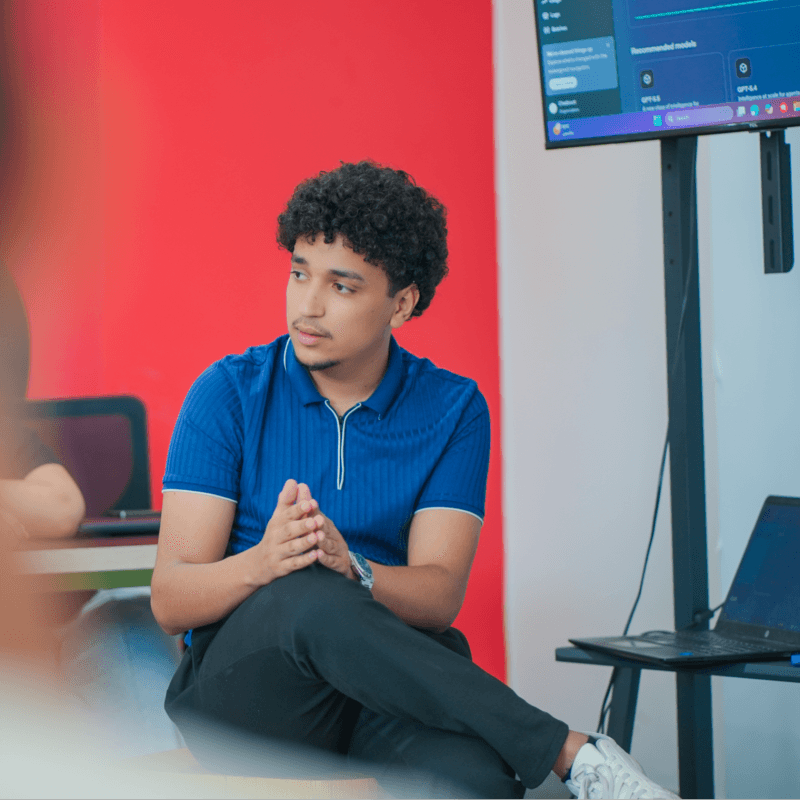
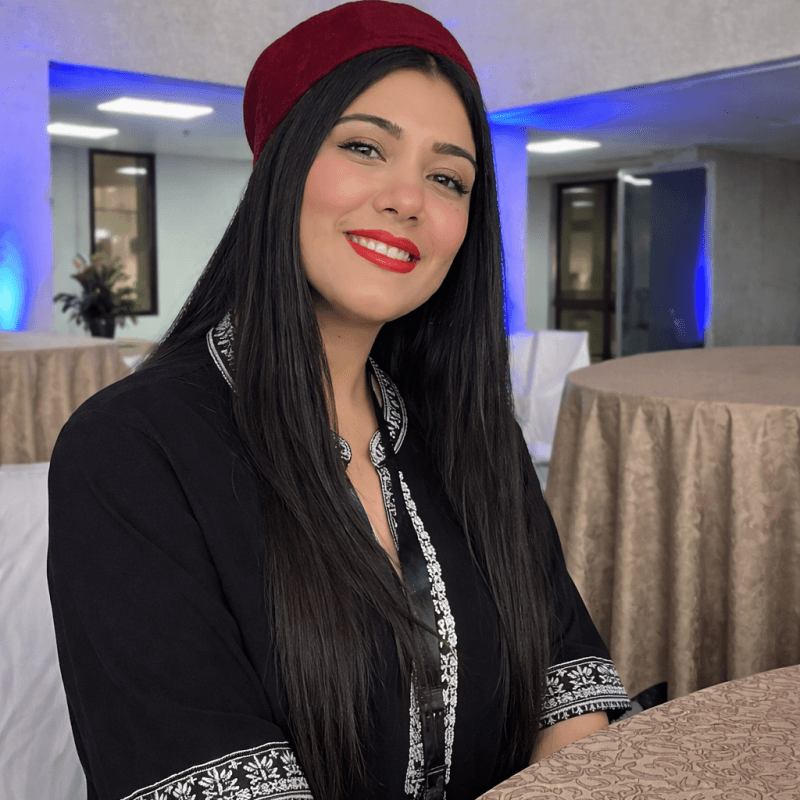
One day. So many builders. Moments from Come Build with AI across our spaces.
143 photos · Build day and the preparations behind it.
Moments from our community, shared by the local organizing teams. This photo gallery is separate from the project gallery. For a photo correction or removal, contact your local organizing team or reply to your event confirmation email.
13 / PARTICIPANT GUIDE
Project showcase
Discover what our community is building. Explore projects, meet their teams and share a direct project link.